Using the workspace rollback feature
The workspace Rollback feature can be used to roll back a workspace to a previous date and time. This creates a copy of the workspace at the specified date and time and preserves the original. Use the below steps to roll back a workspace.
-
Log into Bluescape and navigate to Bluescape Home
-
Find the workspace you want to roll back and click the
 (options) button
 -
Select Rollback

-
The Rollback workspace dialogue appears
-
Chose the date and time you want to reset the workspace to
-
Chose whether you want to retain collaborators
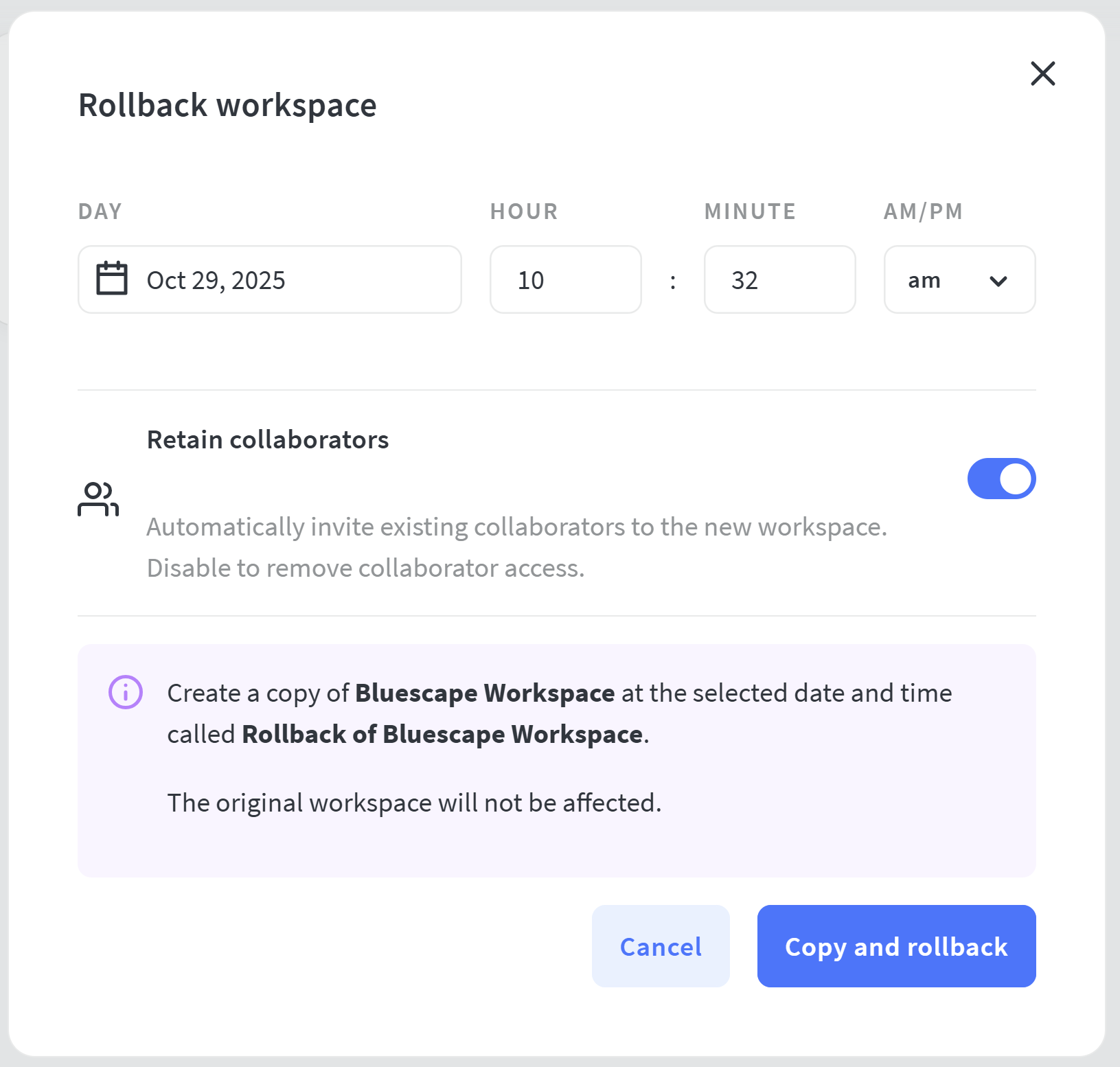
NOTE: Since workspace rollback creates a cope of the workspace, enable retain collaborators to automatically invite the users of the original workspace to the new version.
- Click Copy and rollback
You will receive and email when the rollback is complete.